How to Remove Background from an Image Without Photoshop
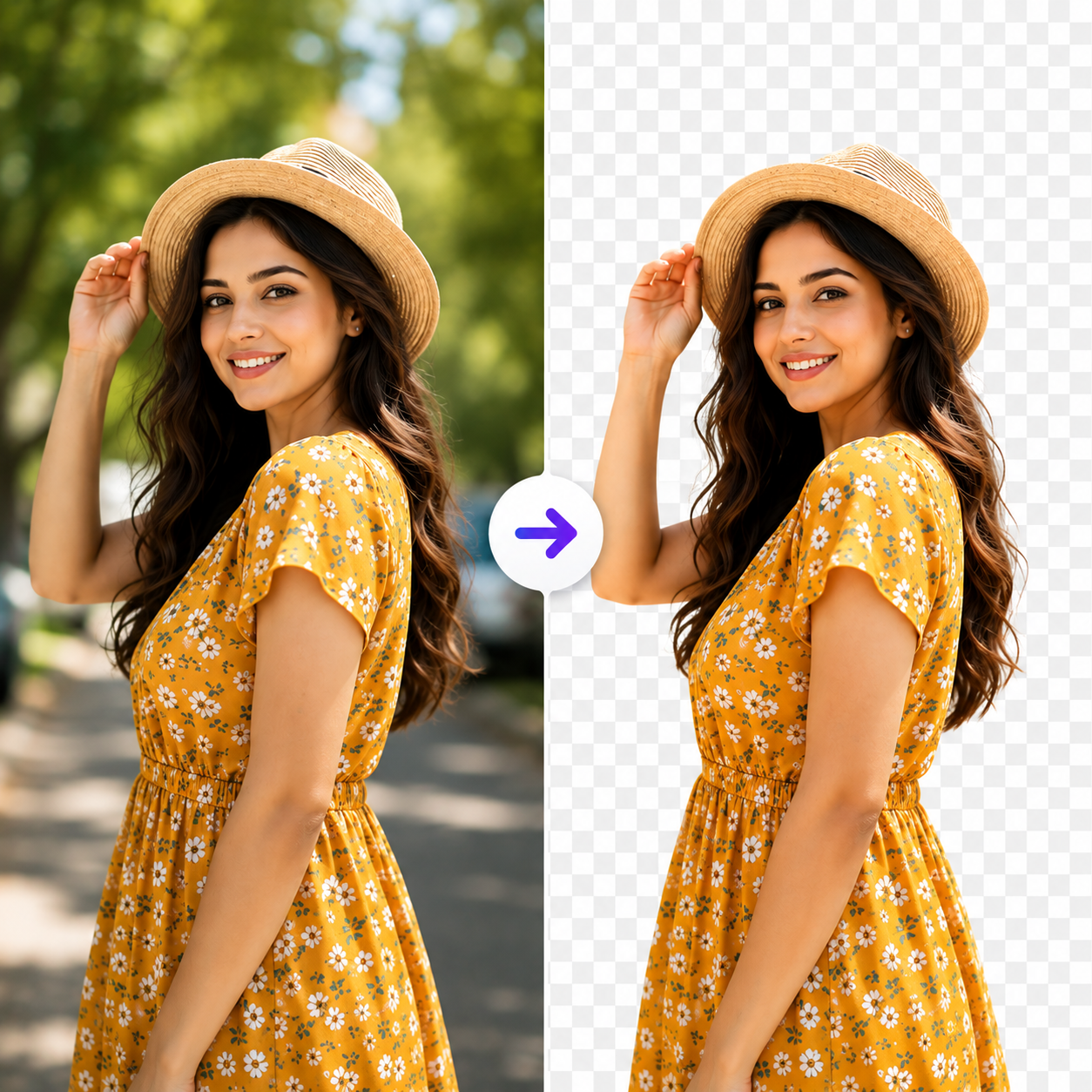
Removing the background from an image no longer requires expensive software or advanced design skills. In the past, tools like Photoshop were the go-to choice for background removal, but they often involved a steep learning curve and time-consuming manual editing. Today, AI-powered online tools make it possible to remove backgrounds in just a few clicks, allowing anyone to create clean, professional-looking images without installing any software.
Whether you're an eCommerce seller, graphic designer, content creator, marketer, or small business owner, background-free images can significantly improve the quality of your visuals. Transparent images are perfect for product listings, company logos, social media posts, presentations, marketing materials, and website designs. A clean background helps your subject stand out and gives your content a more polished and professional appearance.
The process is simple. Start by uploading your image to an AI-powered background removal tool. The AI automatically detects the main subject, separates it from the background, and generates a clean cutout within seconds. After the background is removed, you can preview the result, make minor adjustments if needed, and download the final image as a transparent PNG. The entire process usually takes less than a minute and doesn't require any editing experience.
AI background removal offers several advantages over traditional editing methods. It is much faster than manually selecting objects, produces consistent results, and works well for people, products, logos, vehicles, and many other types of images. Since the process is automated, you can save valuable time while achieving professional-quality output, making it an ideal solution for businesses and creators who edit images regularly.
To get the best results, use a high-resolution image with good lighting and a clear distinction between the subject and the background. Images with sharp edges and minimal blur allow AI tools to detect the subject more accurately. Once the background has been removed, always review the edges before downloading to ensure the final image looks clean and natural. Saving the file as a PNG preserves transparency, making it easy to use the image on any background.
Many beginners make common mistakes, such as uploading low-quality images, downloading the result as a JPG instead of PNG, or skipping the preview before saving. These small oversights can affect the final quality of the image. Spending a few extra seconds reviewing the output helps ensure a more professional result.
AI has completely changed the way background removal works. What once required advanced software and detailed manual editing can now be completed automatically in seconds. This technology not only improves productivity but also makes professional image editing accessible to everyone, regardless of their design experience.
If you're looking for a quick and easy way to remove the background from an image without Photoshop, AI-powered online tools are the perfect solution. They deliver fast, accurate, and high-quality results, helping you create transparent images for websites, online stores, social media, branding, and marketing without any technical skills.