How to Upscale Images Without Losing Quality
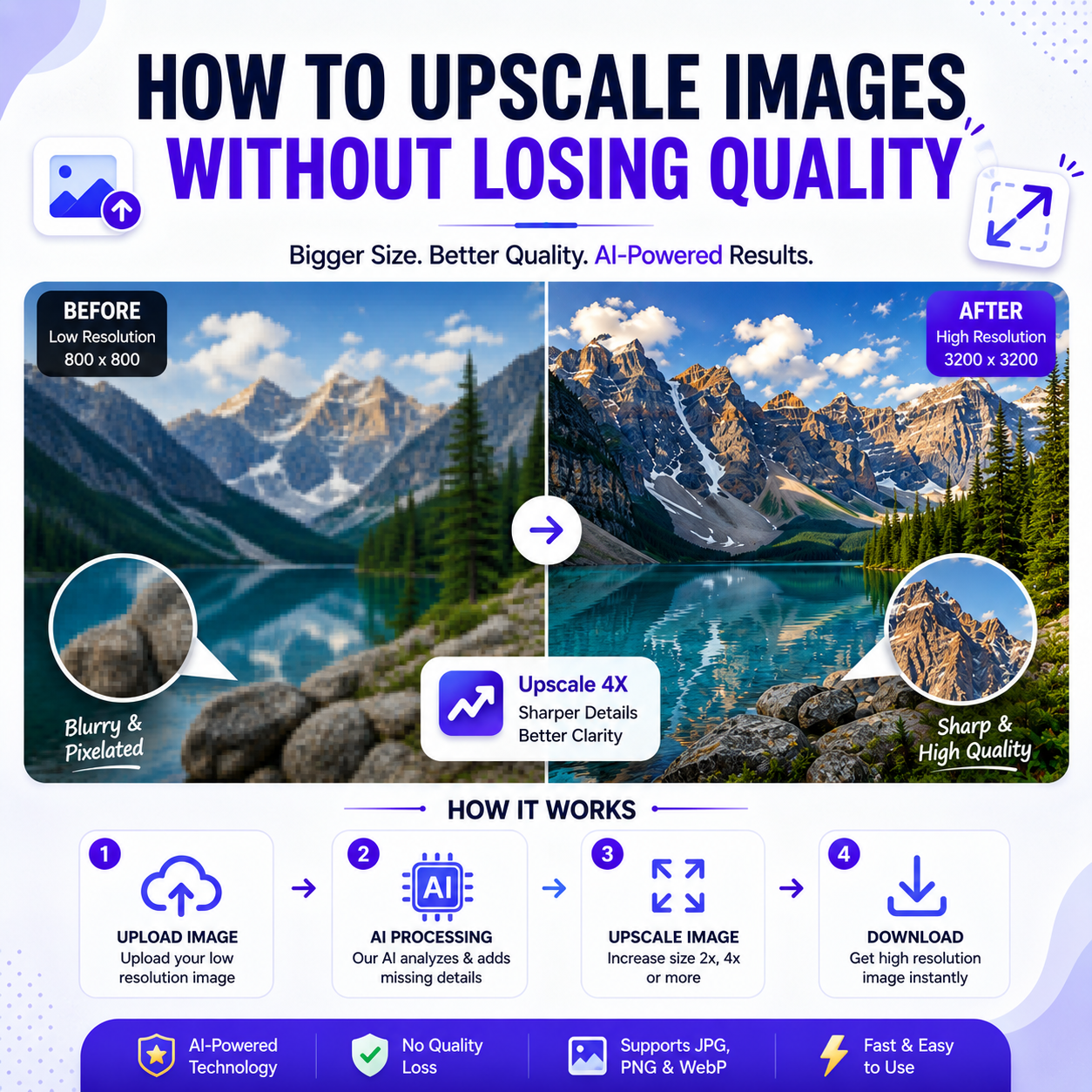
Have you ever found the perfect photo, only to realize it's too small or blurry to use? Whether you're printing a picture, uploading a product image, creating social media content, or designing marketing materials, low-resolution images can make your work look unprofessional. The good news is that you don't have to settle for poor-quality visuals. With modern AI image upscaling tools, you can increase the size of an image while preserving its sharpness and details.
Image upscaling is the process of increasing an image's resolution without making it look pixelated or blurry. Traditional resizing methods simply stretch the existing pixels, which often results in a loss of quality. AI-powered image upscalers work differently. They analyze the image, recognize patterns, and intelligently generate new pixels, making the enlarged image appear much sharper and more natural.
AI image upscaling has become popular among photographers, graphic designers, online sellers, marketers, and content creators because it saves time while producing professional-quality results. Whether you're restoring old family photos, improving product images for an online store, or preparing high-resolution graphics for printing, AI makes the process quick and accessible.
Upscaling an image is simple. Upload your photo to an AI image upscaling tool, choose the desired enlargement level—such as 2× or 4×—and let the AI process the image. Within seconds, you'll receive a higher-resolution version with improved clarity and finer details. Most AI tools also reduce noise and sharpen edges automatically, creating a cleaner final result.
Using AI to upscale images offers several benefits. It improves image quality without requiring advanced editing skills, enhances details for better visual appeal, prepares images for large displays or printing, and saves hours of manual editing. Businesses can create better product photos, designers can work with clearer assets, and creators can produce more professional-looking content.
To achieve the best results, start with the highest-quality original image available. Although AI can significantly improve resolution, it cannot fully recover details that were never captured in the original photo. Avoid heavily compressed images whenever possible, and choose the appropriate upscale level based on your intended use. For example, a 2× enlargement may be sufficient for websites, while a 4× upscale is often better for printing or large-format graphics.
Many users make the mistake of enlarging images with basic editing software, which often creates blurry or pixelated results. Others apply excessive sharpening after resizing, making images appear unnatural. AI upscaling avoids these issues by enhancing details intelligently rather than simply stretching pixels.
Whether you're a designer, photographer, online seller, or digital creator, high-quality images help build trust and leave a stronger impression. AI image upscaling provides a fast, reliable way to improve image resolution while maintaining excellent quality, making it an essential tool for anyone who works with digital images.
If you're looking for an easy way to enlarge images without sacrificing quality, AI-powered upscaling tools are the ideal solution. In just a few clicks, you can transform low-resolution photos into crisp, high-quality images that are ready for websites, social media, eCommerce stores, presentations, or print.